> ## Documentation Index
> Fetch the complete documentation index at: https://stackonfire.mintlify.site/llms.txt
> Use this file to discover all available pages before exploring further.
# Emails
> How Cascade handles marketing & transactional emails
## Email tool of choice
Cascade uses [Loops](https://www.loops.so) for sending marketing and transactional emails. Loops is a powerful email marketing platform that allows you to send emails to your users, track their engagement, and set up funnels to automate your email marketing.
## Setup with Cascade
You need to have a Loops account to use the email feature in Cascade. If you don't have one, you can [sign up here](https://www.loops.so).
Grab your API key [from here](https://app.loops.so/settings?page=api) and add it to your `.env` file:
```
#Loops
LOOPS_API_KEY="2a2ee7a090dldskfj4bd73eb3f70a"
```
## Sending emails
Cascade implements an example of a single loop, where an email is sent to the newly created users:
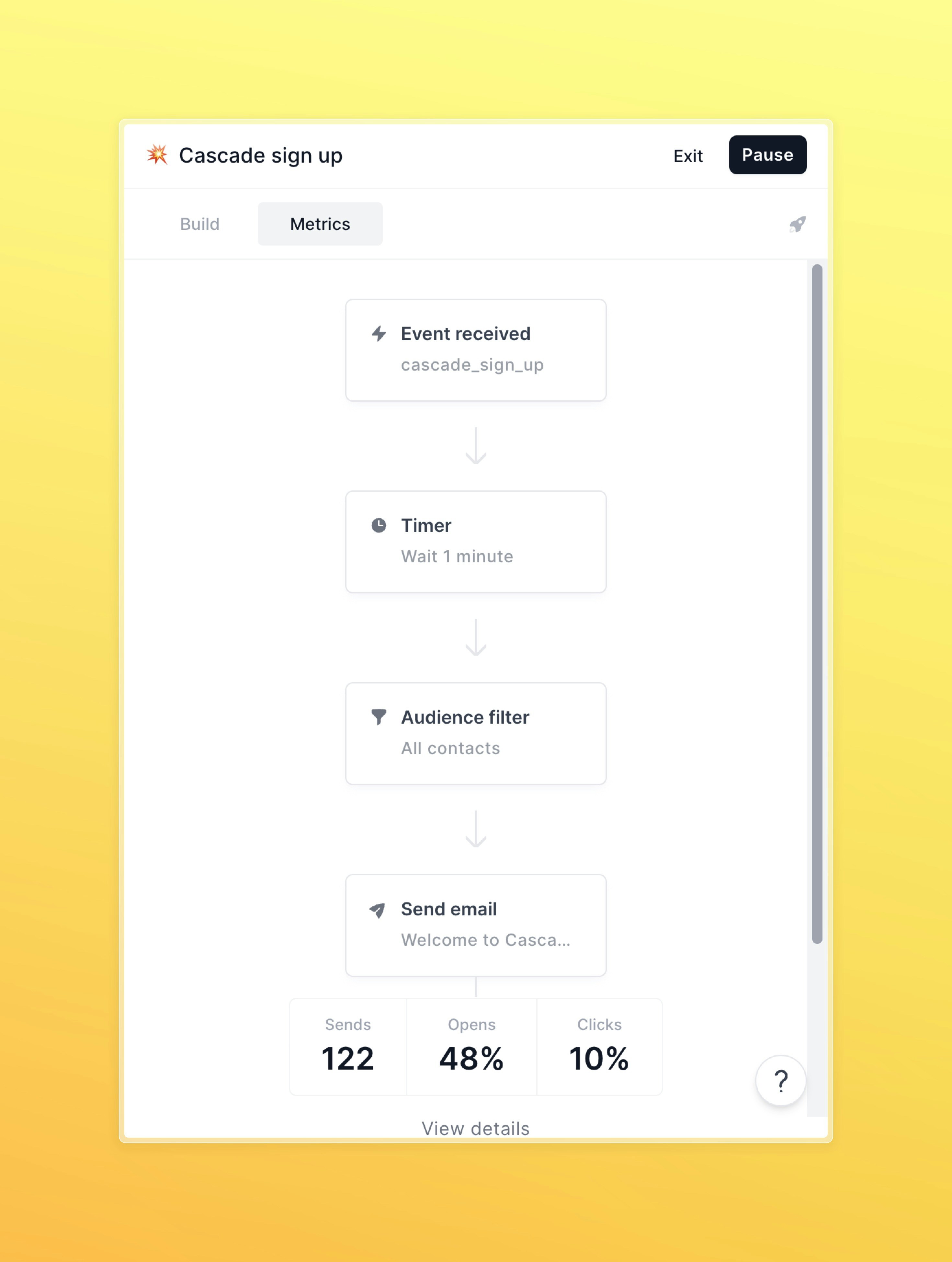 When the loop is hit, it waits for a minute and then sends an email to the user. You can customize the email content and the delay between the loop and the email and set up more complex funnels as WebGLUniformLocation.\_createMdxContent
This is how you trigger loops:
```ts theme={null}
await loops.sendEvent(
{
email: user.email,
},
"cascade_sign_up",
{
...(user.name && { name: user.name }),
email: user.email,
}
);
```
When the loop is hit, it waits for a minute and then sends an email to the user. You can customize the email content and the delay between the loop and the email and set up more complex funnels as WebGLUniformLocation.\_createMdxContent
This is how you trigger loops:
```ts theme={null}
await loops.sendEvent(
{
email: user.email,
},
"cascade_sign_up",
{
...(user.name && { name: user.name }),
email: user.email,
}
);
```